Boys & Men's Halloween Costumes
From high-tech cyberpunk street warriors with glowing Oni demon masks to 18th-century baroque vampire nobility with silver embroidery and chiaroscuro candelabras.
Interactive Boys & Men Prompt Builder
Select a prompt below, tweak costume details and lighting, then copy your customized prompt.
Customize Your Festive Image Prompt
Select a template and adjust the outfit, lighting, pose, and aspect ratio. Copy the complete prompt directly or use it in SPAUL Image Studio.
An ultra-realistic cinematic nighttime street photograph of a young man wearing a cutting-edge futuristic cyberpunk Oni samurai Halloween costume. He wears matte-black tactical techwear samurai armor with carbon-fiber shoulder plates, illuminated crimson fiber-optic wiring, a glowing demonic Japanese Oni half-mask with glowing cyan vents, and an illuminated neon energy katana sheathed at his hip. He stands confidently in an alleyway with light rain falling, one hand resting on the hilt of his katana, head slightly tilted forward with piercing eyes visible above the glowing Oni mask. A rainy Tokyo neo-noir alleyway at night with glistening wet asphalt puddles reflecting neon lights, holographic Halloween jack-o'-lantern billboards in purple and orange, and steam rising from street grates. Vibrant dual-tone neon lighting in electric cyan and vivid magenta, with rain droplets catching the rim lighting and wet reflective surfaces creating rich chromatic reflections. Medium shot from a slightly low dramatic hero angle, Shot on Canon EOS R5 with RF 50mm f/1.2L lens, cinematic shallow depth of field, rich dynamic range, --ar 3:4, 8k detail, photorealistic rain droplets, hyper-detailed carbon fiber and neon textures.
All Boys & Men Prompts (2)
Click any card to open its dedicated full prompt page with complete tips and sample reference images.
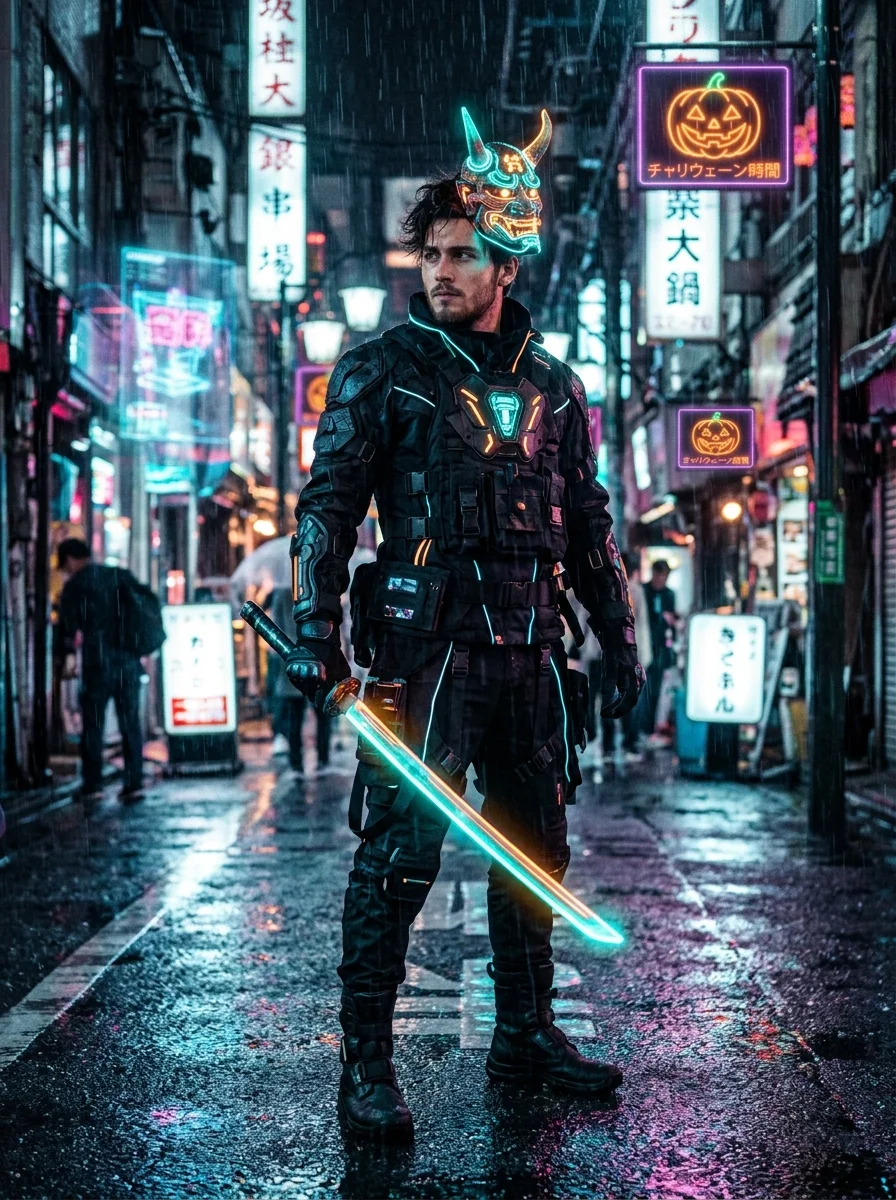
Cyberpunk Neon Oni Samurai Street Portrait
Futuristic Halloween cyberpunk costume portrait featuring a techwear samurai in an illuminated Oni demon mask in a rainy neon alley.
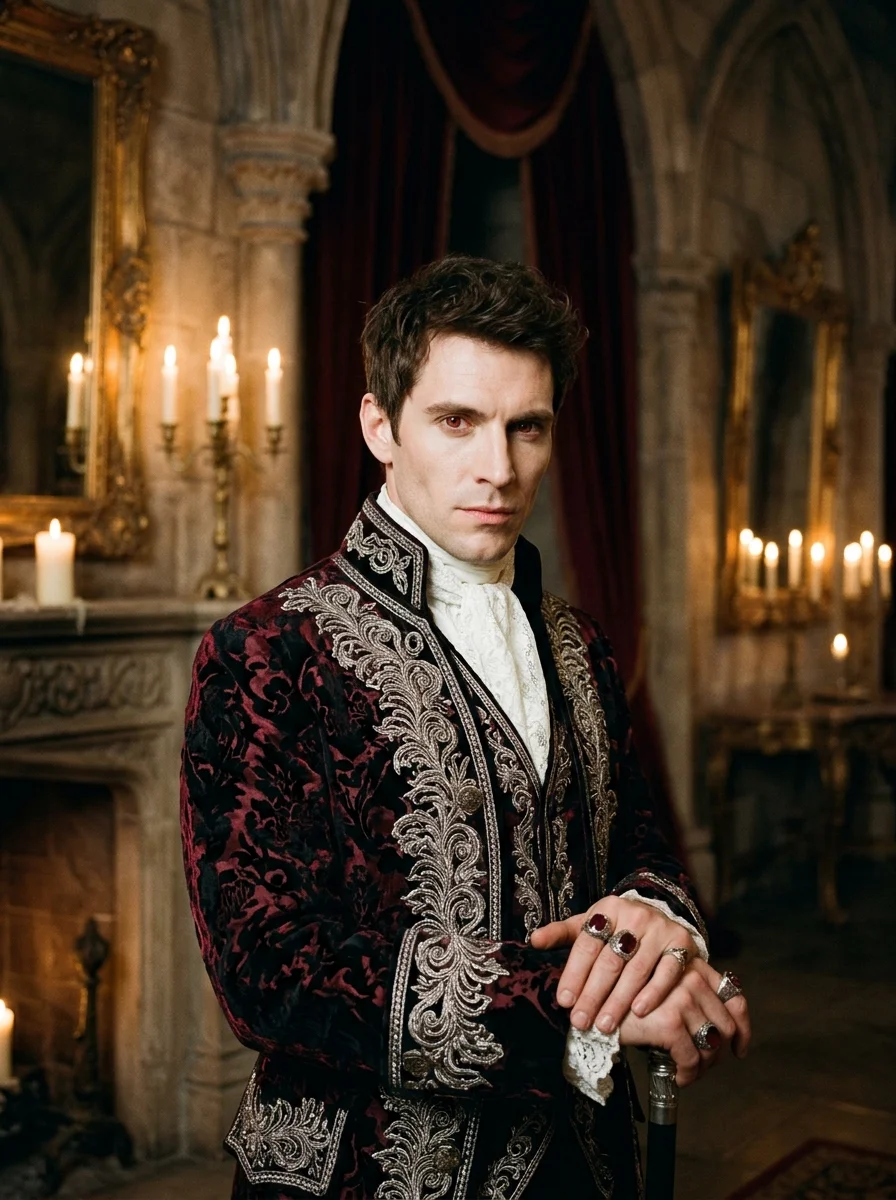
Baroque Vampire Royalty in Gothic Ballroom
Dramatic and aristocratic 18th-century Baroque vampire nobleman in velvet and brocade inside an ornate candlelit castle ballroom.
Recommended AI Tools for Festive Imagery
Use ChatGPT or Gemini for generating images for best results and quality. Both platforms deliver industry-leading visual aesthetics, accurate cultural garments, and realistic candlelight illumination.
ChatGPT
OpenAISuperb understanding of natural descriptive language. Excels at complex Indian ethnic outfits, Banarasi silk textures, ornate marigold garlands, and multi-person family scenes.
- Rich warm 2700K ambient candle bokeh and traditional oil lamps (diyas).
- Understands cultural clothing nuances like sherwanis, kurtas, and lehengas.
Google Gemini
GoogleState-of-the-art photorealism without synthetic plastic over-smoothing. Produces authentic natural skin textures, accurate hands holding brass thalis, and crisp embroidery.
- Superior human anatomy, hand rendering, and realistic facial expressions.
- Crisp, high-definition jewelry, zardozi work, and floral rangoli reflections.
Generate In-Browser with Your Preferred Models
Prefer to generate images without leaving SPAUL Hub? Use SPAUL Image Studio. With Personal API Mode, you can plug in your own API key (OpenRouter, OpenAI, Together AI, or local Ollama/LM Studio) to generate festive visuals directly with 100% privacy, custom resolutions, and zero platform markup.
Pro Tips for Realistic Festive Generations
Get cleaner hands, natural skin tones, and rich silk textures by following these field-tested prompt guidelines.
Use Sharp, Unobstructed Reference Photos
When using reference-photo workflows (like Midjourney --cref or FLUX), upload a photo where your face is evenly lit with no heavy shadows, sunglasses, or hands covering the jawline.
Use Specific Indian Handloom & Textile Terms
Generic words like "Indian dress" produce generic synthetic patterns. Use precise textile descriptors: "Banarasi silk with gold zari border", "Chanderi cotton-silk kurta", "zardozi embroidery", or "raw silk Nehru jacket".
Tune Character Weight (--cw 20 in Midjourney)
In Midjourney, the default `--cw 100` attempts to copy your reference photo’s clothing too. Set `--cw 20` or `--cw 0` so the model keeps only your face while seamlessly replacing your casual t-shirt with festive silk attire.
For Greeting Cards: Crisp AI Text vs Canva Overlays
Our card prompts generate centered "Happy Diwali" gold typography by default. For best in-image text spelling, use ChatGPT or Gemini. If you want to overlay your family name in Canva or Photoshop, select "Text-Free Blank Canvas" in the builder.
Preventing Fused Faces in Multi-Person & Family Photos
AI models often blend faces together when generating groups. Explicitly describe each person’s distinct generation, age, and outfit color (e.g., "Grandmother in beige saree, young grandson in yellow kurta") to help the model maintain separate characters.
Aspect Ratios Matter for Quality
Use 4:5 or 9:16 for portraits to provide vertical space for elaborate lehengas and tall turbans/gajras. Use 16:9 for sweeping dining table celebrations and wide panoramic rangolis.